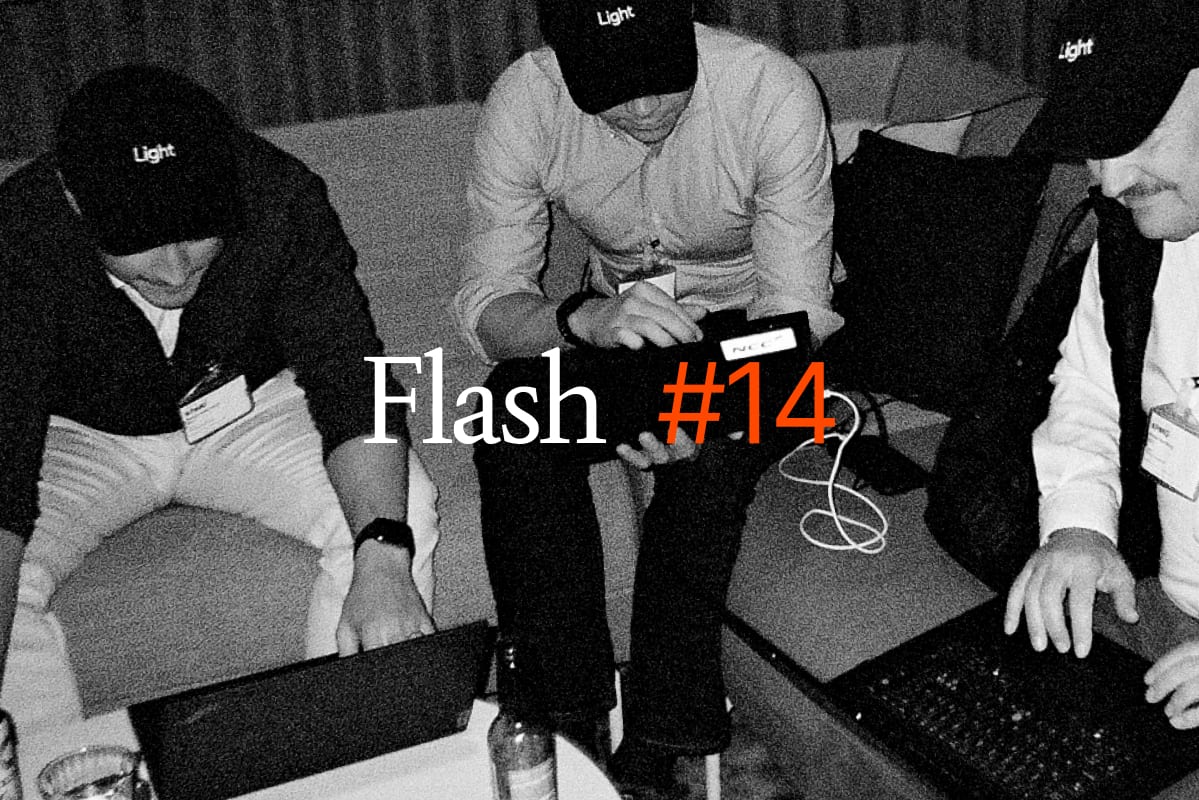
Welcome to Flash #12. Here is what our team shipped over the last two weeks.
Before we dive in: last month we presented Custom Agents. Since then, our customers have built over one hundred custom agents between them, all running on schedules, removing repeated admin tasks. The uptake has been astonishing. Keep building!
What we shipped
The new homepage
We have given the Light product a makeover. Open the desktop app today and the first thing you see is the Light Command Interface, our chat functionality, not a wall of widgets. Everything is permission-filtered, so you only see what you can act on.
Underneath, you'll find digest cards for the things that need your attention. Pending approvals, your agents' latest runs, your recent conversations.
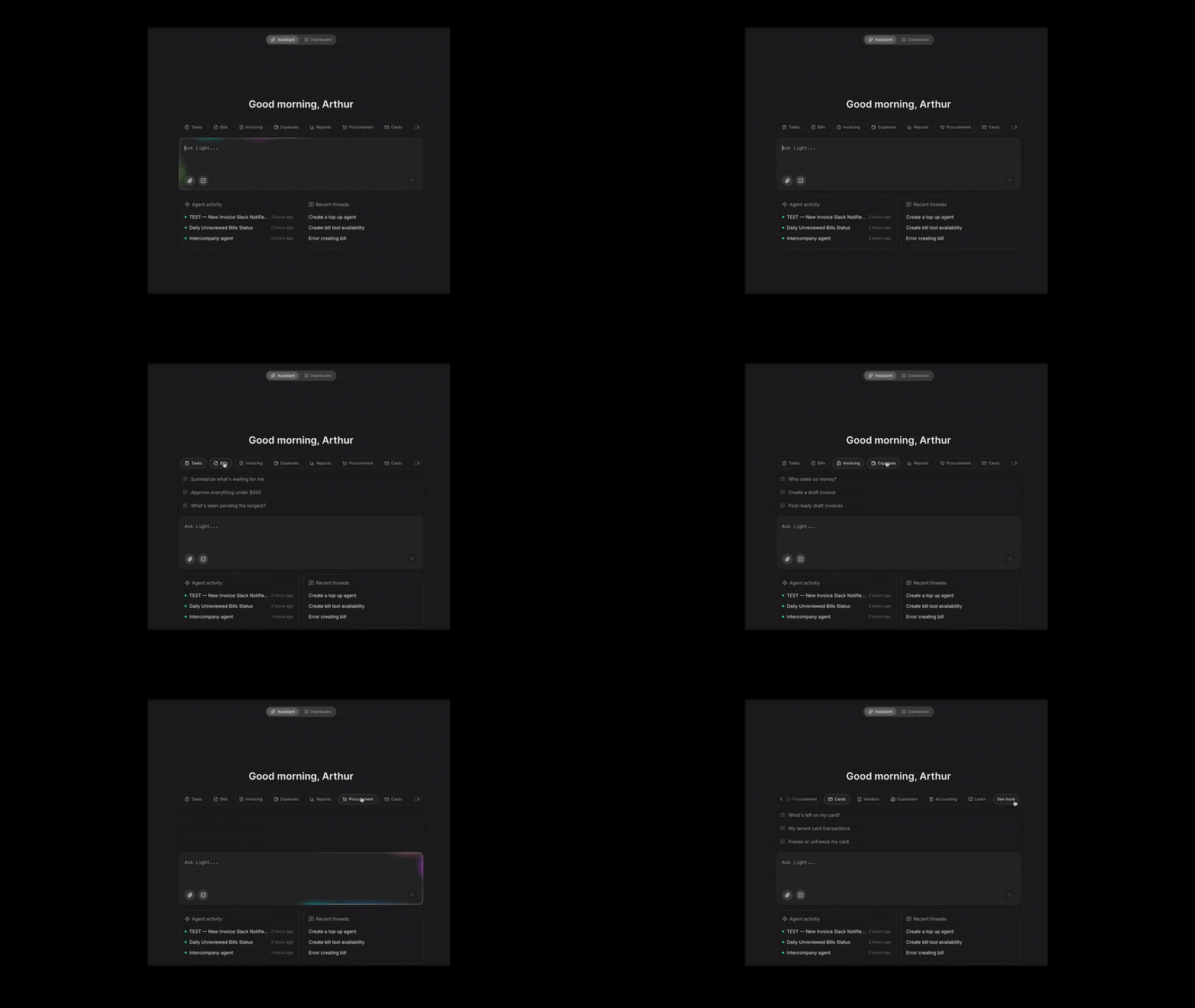
Miss the dashboard overview? Don't worry, it hasn't gone anywhere. There is a toggle in the header and it remembers where you left it. You can always toggle back if that is more your thing.
There is also a new skills page listing everything the assistant can do, so "what can I ask it?" finally has a proper answer.
Charts in the assistant
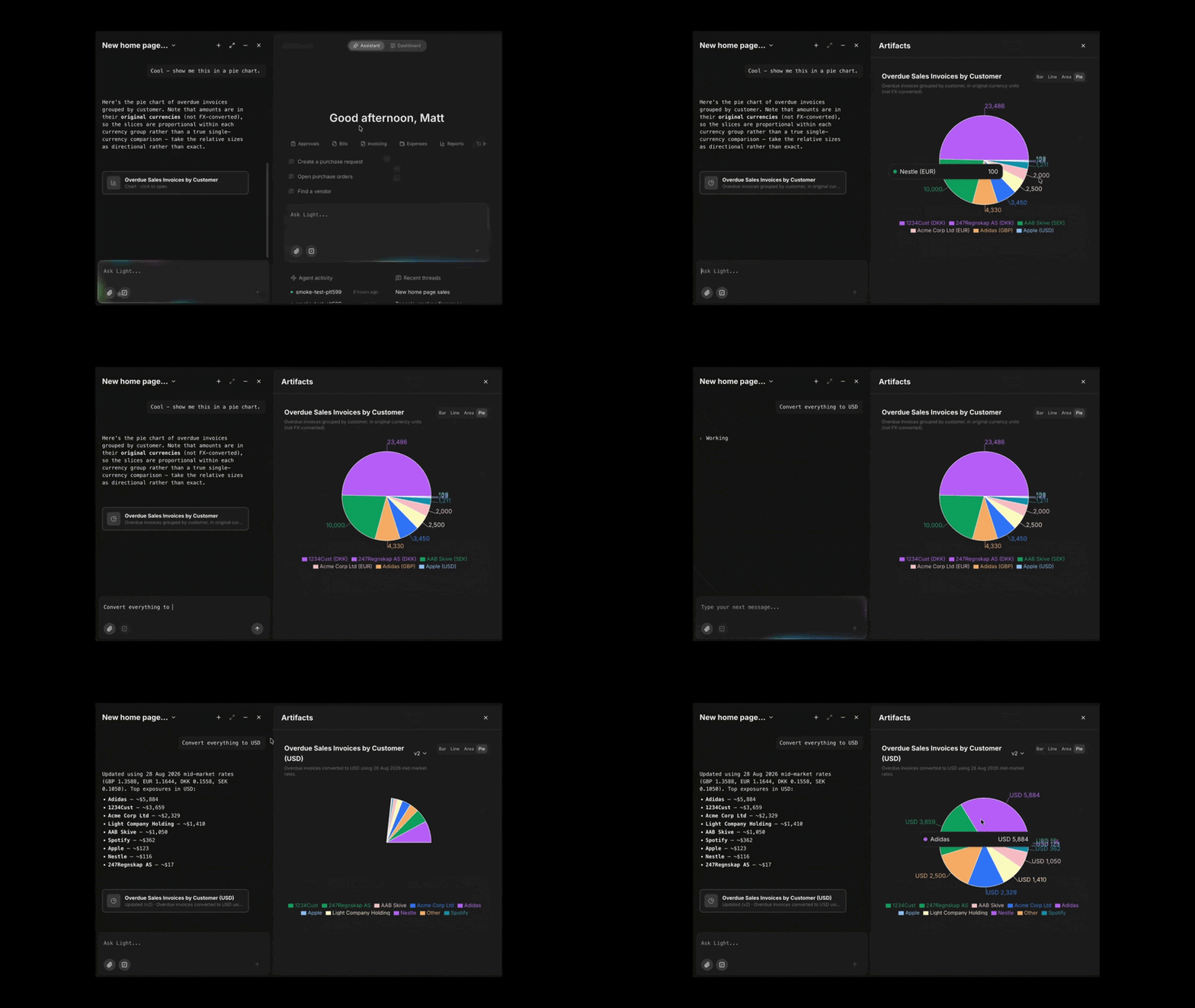
Ask a question with a shape to it in the LCI, something like spend by vendor this year, and a chart opens alongside the answer. Line, bar, area, pie or a combination.
Ask follow ups in plain language and the same chart updates in place rather than starting over. Narrow it to one entity, switch it to quarters, flip it to a bar.
Each chart is saved, so you can close the thread and pick it up later on any machine. Web only for now.
Self-billing, both ways
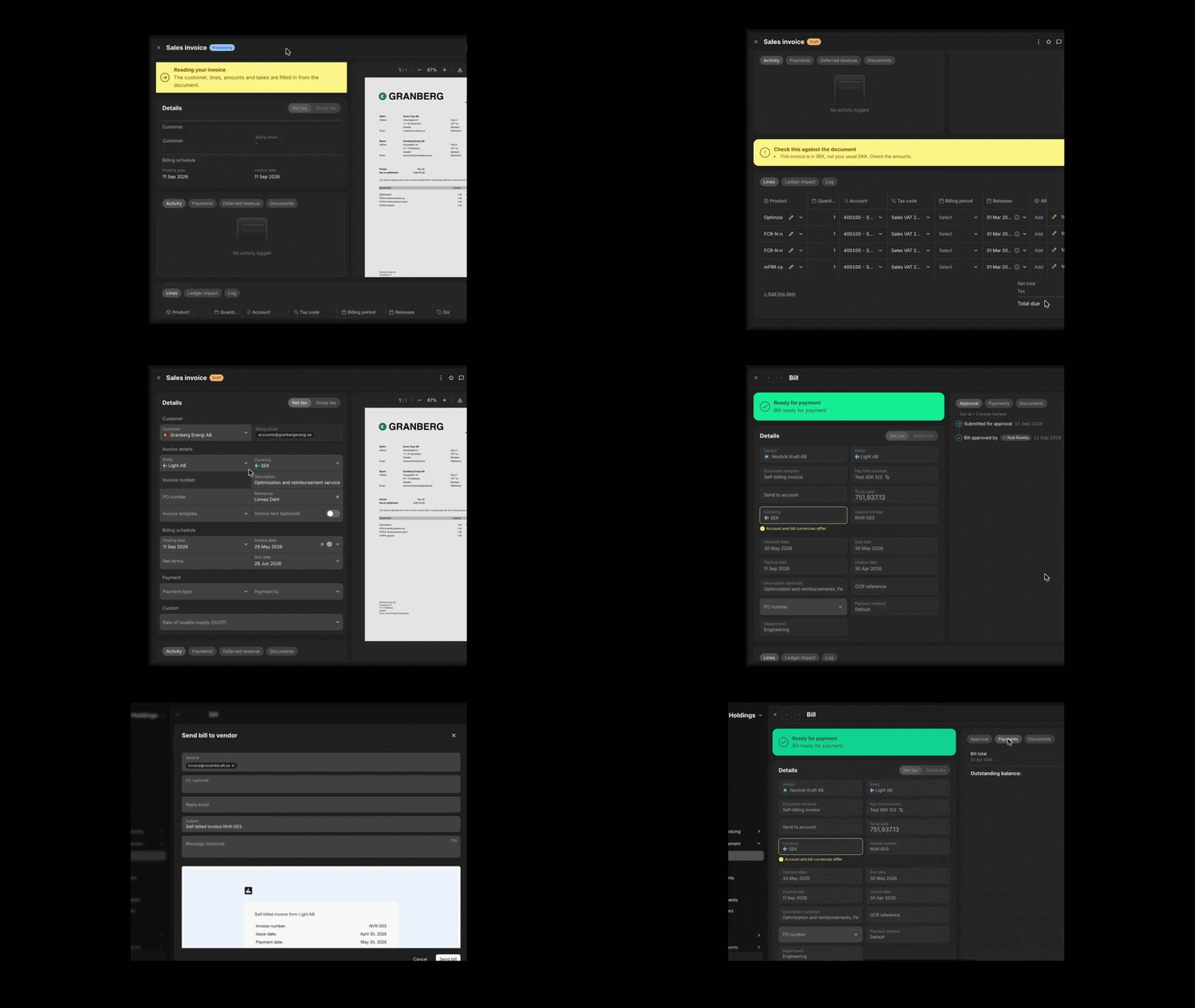
Self-billing is when the buyer writes the invoice instead of the seller. It comes up whenever only the buyer can work out what is owed: a grid operator paying for balancing services, or a battery lease fee calculated on revenue the owner never sees.
Until now a self-billed invoice had to be typed into Light by hand, and there was no way to issue one at all. Both sides now work.
Receiving them. Email a self-billed invoice to your company's sales invoice address, or upload the PDF directly. Light reads it and fills in the customer, dates, terms, reference and line items, matched to your product catalogue. The draft shows the customer's actual PDF rather than our re-render, with a banner flagging anything the scan could not resolve.
Issuing them. A new Create bill button on Bills. Pick the entity and vendor, add your line items, and render it on the new self-billed template, which shows the vendor as issuer and your entity as recipient. That is what makes it valid as the vendor's own invoice. Once approved, Send bill emails it out and tells the vendor they do not need to send one back.
Purchase request approvals in Slack and Teams
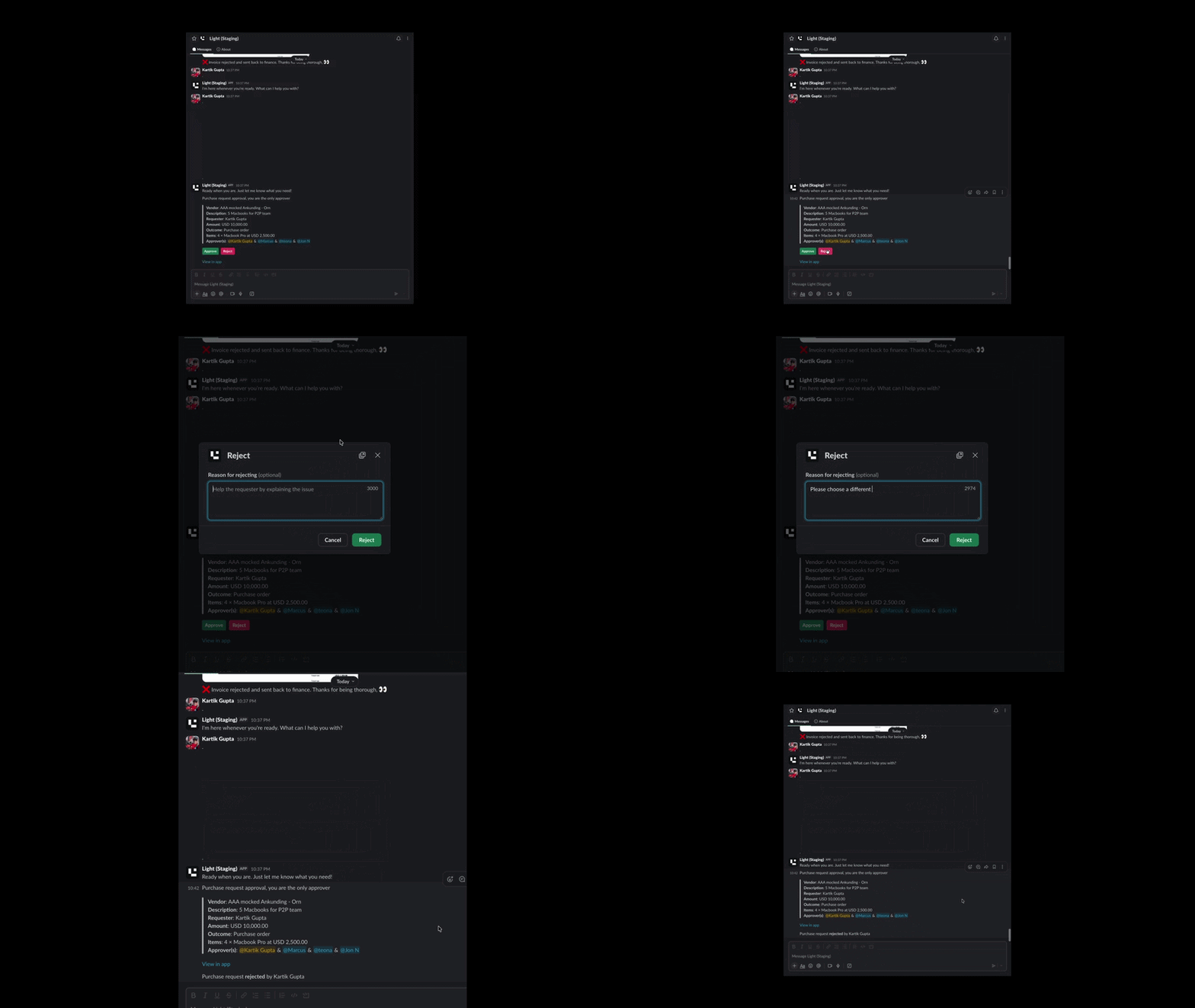
Approvers no longer need to open Light. The request lands carrying everything needed to decide: vendor, description, requester, amount and line items. Approve and Reject buttons sit right there.
Reject asks for a reason. The message then updates in place showing who decided and when, so the thread stays accurate for anyone reading it later.
Plus, all this
- Self-serve e-invoicing setup. Adding a network to an entity no longer needs us to do it for you.
- Excel exports alongside CSV. For customers, invoices, contracts and credits.
- The activity trail now covers cards. Creation, limit changes and card requests all join the timeline, and it is exposed on the public API.
- Create bills and match bank transactions with the LCI. Two new tools, live for every company.
- Receipt-found notifications for every cardholder. If the email fetcher matches a receipt to your transaction, you'll be notified.
That is Flash #12. Any questions? Reach out to your Customer Success contact, use the LCI, or head to light.inc/help.