A contract changes in the CRM, billing carries on with the old terms and the customer disputes the invoice. Each team may have followed its own process correctly while the hand-off failed.
That is the kind of problem an order-to-cash software evaluation should expose. Follow an order through billing, collection and cash allocation, including what happens when the commercial agreement changes along the way.
What information should travel from the order to billing?
The billing process needs the approved customer and entity, products or services, prices, dates, currency and payment terms. It also needs a dependable way to receive amendments.
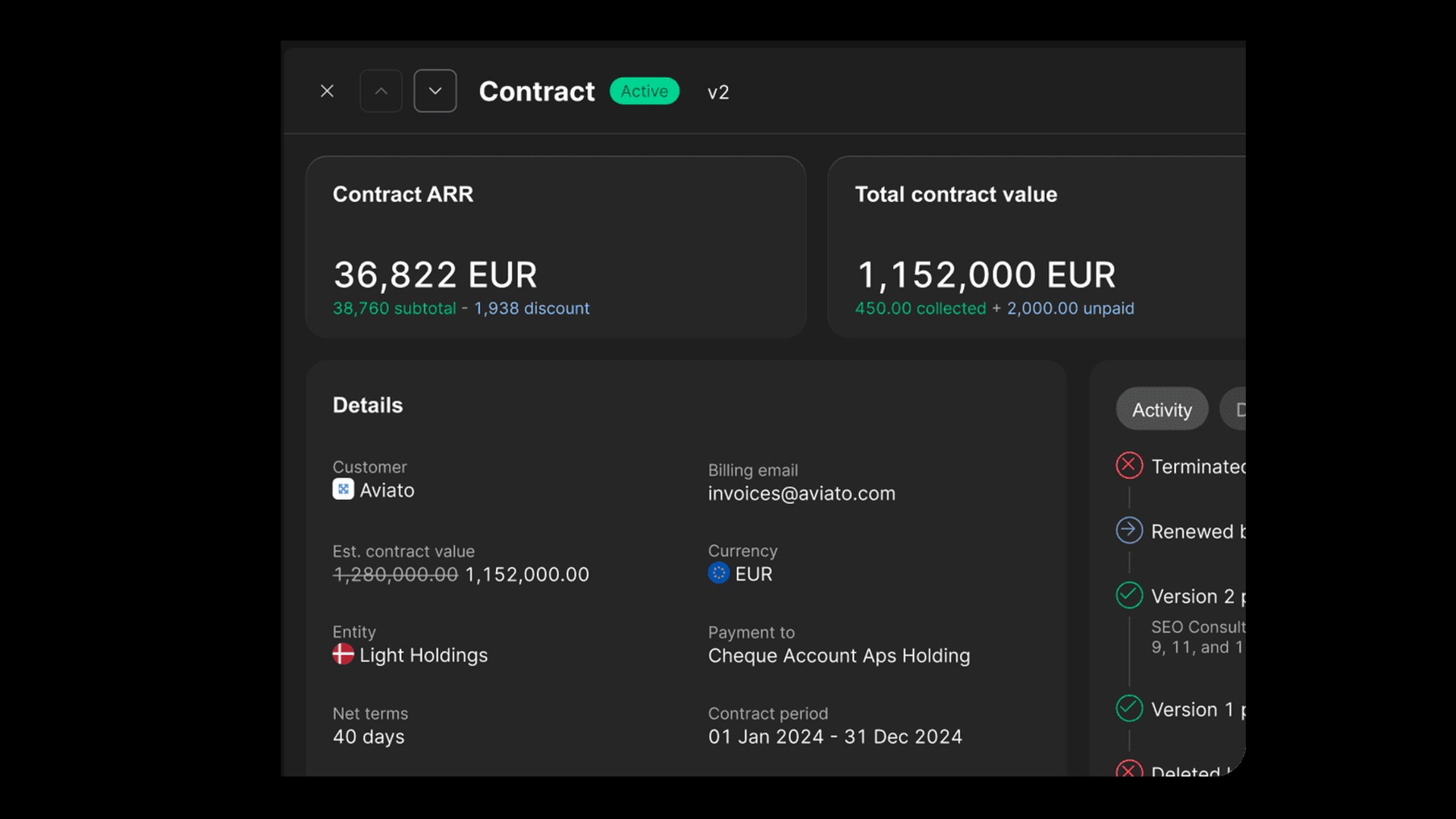
Choose a contract that changed after signing and trace the revision. Who authorised the change? Which invoice reflects it? What happened to an invoice already issued? A good workflow leaves a clear sequence instead of asking finance to infer the latest agreement from several systems.
Light's subscription management product connects contracts and billing with the ledger, including CRM connections. Test the specific connection and commercial terms your business uses.
Which system owns each handoff?
Document ownership before connecting a CRM, billing system and ledger. A connector name alone does not establish the fields, direction or failure handling your business needs.
| Record | Decision to make | Failure case to test |
|---|---|---|
| Customer and entity | Separate the commercial account hierarchy from the legal bill-to party | One parent account buys for two entities |
| Contract amendment | Identify the approved terms and system allowed to change billing | Sales changes a deal after an invoice posts |
| Usage input | Name the system producing the billable quantity and period | Corrected usage arrives after billing |
| Invoice and payment | Choose the system issuing the invoice and recording settlement | A retry duplicates a request or a receipt reaches the wrong entity |
| Recognition schedule | Assign finance ownership of policy and service dates | Billing changes but the old schedule keeps releasing revenue |
Apply these questions to a Salesforce or HubSpot project without assuming that either CRM supplies every accounting input. If the current ledger remains during a phased rollout, name which system posts each entity's transactions and how the group reconciles transfers.
For a Light implementation, check the current integration catalogue and the API's job-to-endpoint guide. Distinguish an available connector, its configured mapping and any custom work in the proposal. The API evaluation checklist covers permissions, retries and operational ownership.
How should invoicing connect with delivery?
Billing should follow the agreed terms and the events that trigger it. For some businesses that is a service start date; for others it is usage, a milestone or delivery confirmation.
Establish who owns the evidence of that event. If the billing system imports usage, check the period, completeness and treatment of corrected data. If a person approves a milestone, retain the approval alongside the invoice basis.
This is also where operational needs can exceed a finance platform's scope. A business with inventory, logistics or complex fulfilment should include those requirements explicitly in its ERP selection.
How do cash application and collections stay aligned?
Collections needs current balances and the context of disputes, promises to pay and recent receipts. Matching a payment should update the open position in time to inform the next reminder.
Test a receipt that covers two invoices and leaves part of a third unpaid. The remaining amount should stay visible, with a clear allocation history. Then put the residual invoice into dispute and confirm which reminders stop.
The accounts receivable automation guide covers those workflows, while the payment reconciliation guide examines the allocation itself.
Where does revenue recognition fit?
Recognising revenue is related to the customer lifecycle, but payment is not its universal trigger. The applicable accounting treatment may spread revenue over a service period or follow another measure of performance.
Keep the contract, invoice, cash and revenue schedule connected so finance can explain the differences in timing. The revenue recognition software guide sets out the separate controls and evaluation tests.
How do you measure the complete process?
Track billing delays, invoice corrections, disputed amounts, unapplied cash and overdue balances. Assign an owner to each handoff. If several teams share the process, agree who investigates a failure rather than letting it sit between systems.
For the final test, choose a deal from the last quarter and trace its original terms, amendments, invoices, receipts and accounting. Count the manual work and record any point where the explanation breaks. That gives the software project a concrete target and a way to prove improvement after implementation.